Accordion Block in WordPress 6.9
developing a new UX feature for wordpress core

WordPress 6.9 is slated to release on December 2nd, 2025.
This release contains a new component I helped develop, an Accordion component.
Background & Challenges
Roughly 40% of websites on the Internet today are powered by WordPress. Gutenberg, the rich media editor for WordPress, is powered by "blocks" — composable pieces of content that make up a webpage, and can be easily edited.
In 2020, there was a feature request for a block that would allow users to create content in an "Accordion" pattern — a content panel is hidden and revealed by clicking on a header:
https://github.com/WordPress/gutenberg/issues/21584
At a glance, it's a common and simple UX pattern. However, as is often the case in open source and WordPress, there was quite a bit of debate and challenges (150+ comments on the above github issue), as to whether and how it should be implemented. At a high level, the questions were around:
- User experience — the Gutenberg editor supplies a wide range of customization and interaction models (direct manipulation, list-based representation), so how do we handle the affordances provided by the editor, for the accordion block?
- Semantics & Accessibility — what HTML elements should be used and allowed for each component of the block, and how can we ensure they are semantically sound?
- Technical — how do we avoid JavaScript (particularly client-side) redundancy across blocks, and ensure each accordion would be self-contained?
- Stylistic — what styles and animations should be present by default, and which styles should we allow to be manipulated and customized by the user, with Gutenberg's styling mechanisms?
In my six years of experience contributing to WordPress open source, I found it to be quite common for feature requests to have plenty of discussion and design and code prototyping to happen in many cycles, meandering at times, over many days, weeks, and months. In the case of the accordion pattern, folks had to ask, wait, and ideate five years.
Design & Prototyping
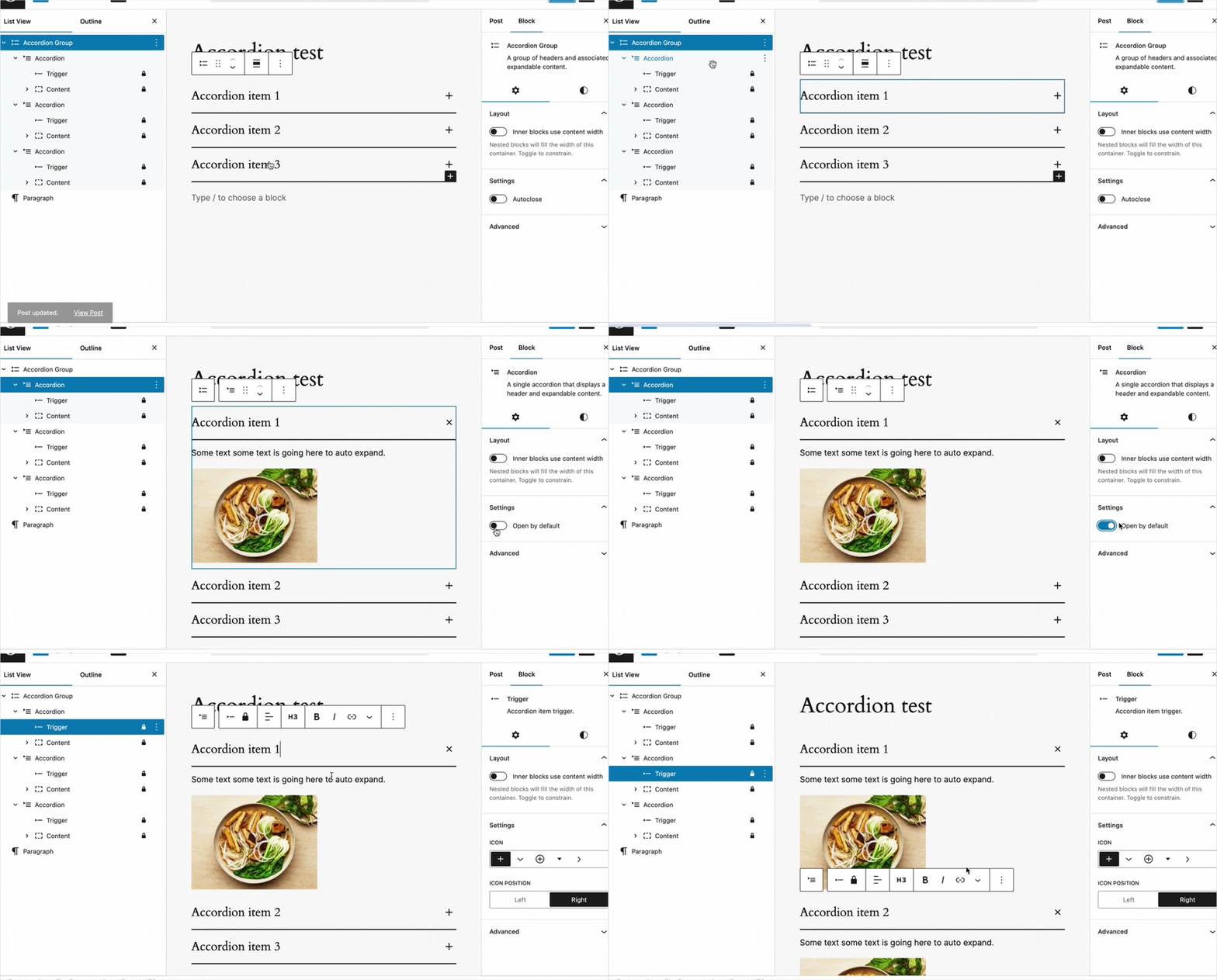
I worked closely with two designers (s/o Christy and Jarek) to prototype and implement the pattern. The initial designs were worked out in Figma, but we quickly moved to code, since the editing interaction in particular would be difficult to understand in an environment other than the WordPress editor itself.
While we primarily followed the w3 spec, we still needed to work out some design questions specific to the WordPress editor:
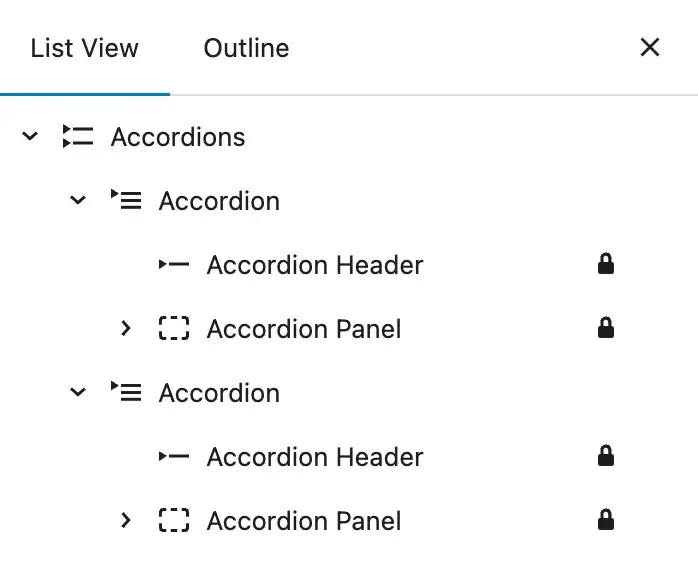
- What blocks (and child blocks) need to be created?
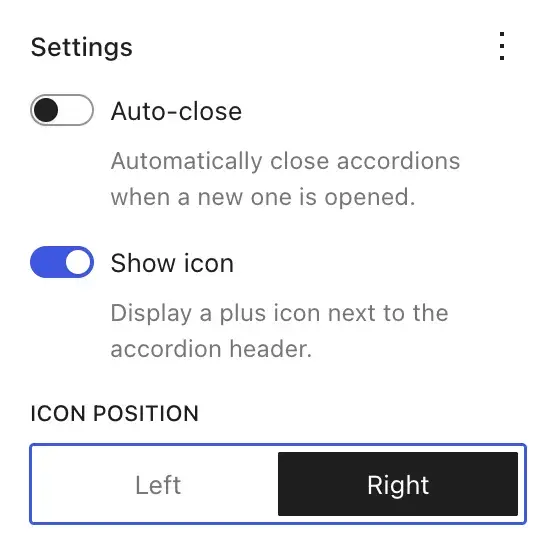
- What design settings should be available to the user?
- What transitions / animation should be present by default?
Development
I was certainly not the first engineer to pick up the task, but a confluence of factors contributed to this round of development's eventual inclusion, particularly the introduction of a new API unifying the experience of writing client-side JavaScript.
The main challenges I faced in the development were working with this new API, and addressing the accessibility concerns. Both faced several rounds of technical feedback, since the API was quite new at the time, and the implementation of the correct semantics and keyboard navigation.
https://github.com/WordPress/gutenberg/pull/64119#pullrequestreview-2215117688
https://github.com/WordPress/gutenberg/pull/64119#pullrequestreview-2240884995
Takeaways
Designs get watered down, but the important thing is to push through and iterate. One feature that ultimately got pulled, it appears, is nice smooth animated states. I'm not sure why.
The PR stalled due to a lack of reviews and decision making capability, and was ultimately pushed across the finish line by @mikachan over a year after it was conceived.
Of course, it is arrogant to suggest that this feature was mostly my doing; I was merely a steward to move forward an idea that had been gestating for years. This is both the beauty and the bane of open source.